 Lable
Lable for iPhone
Every recipe.
Labeled.
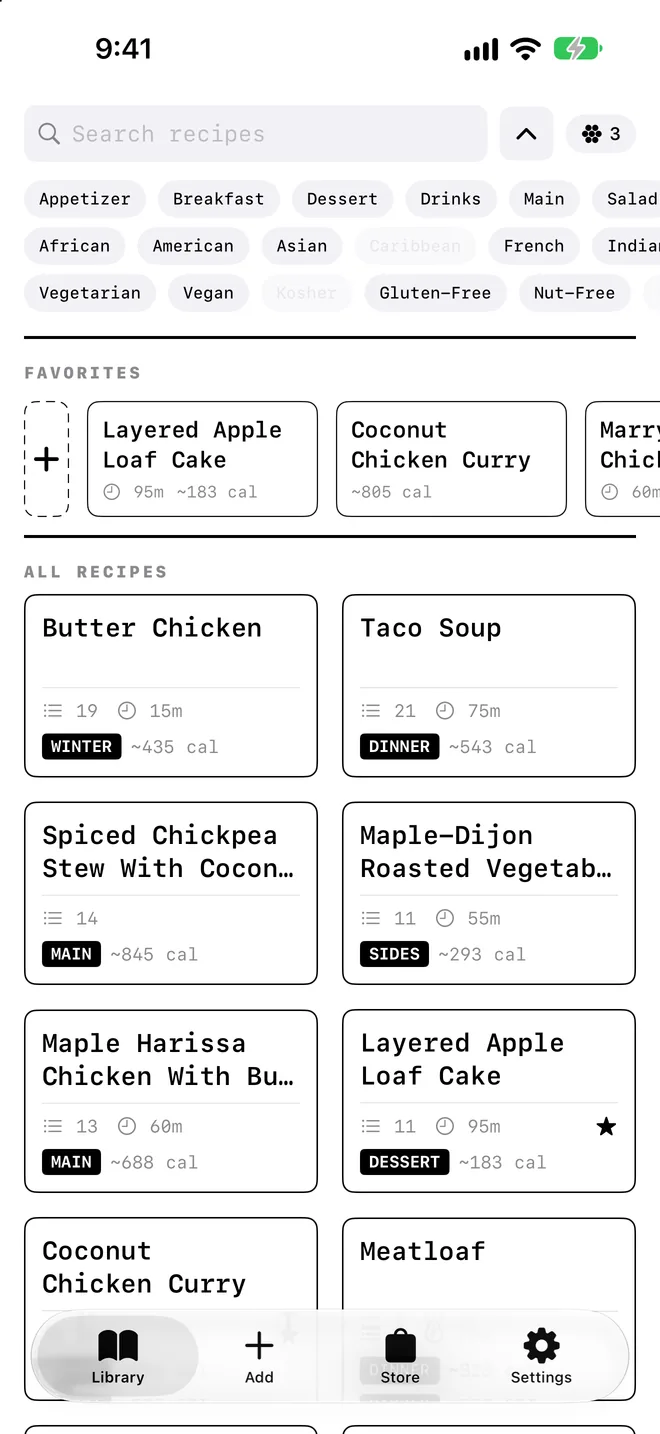
Save recipes from any website as clean recipe cards, each with its own nutrition label.
Coming soon to theApp StoreFree to start. No ads.
Lable for iPhone
Save recipes from any website as clean recipe cards, each with its own nutrition label.
01 · Save
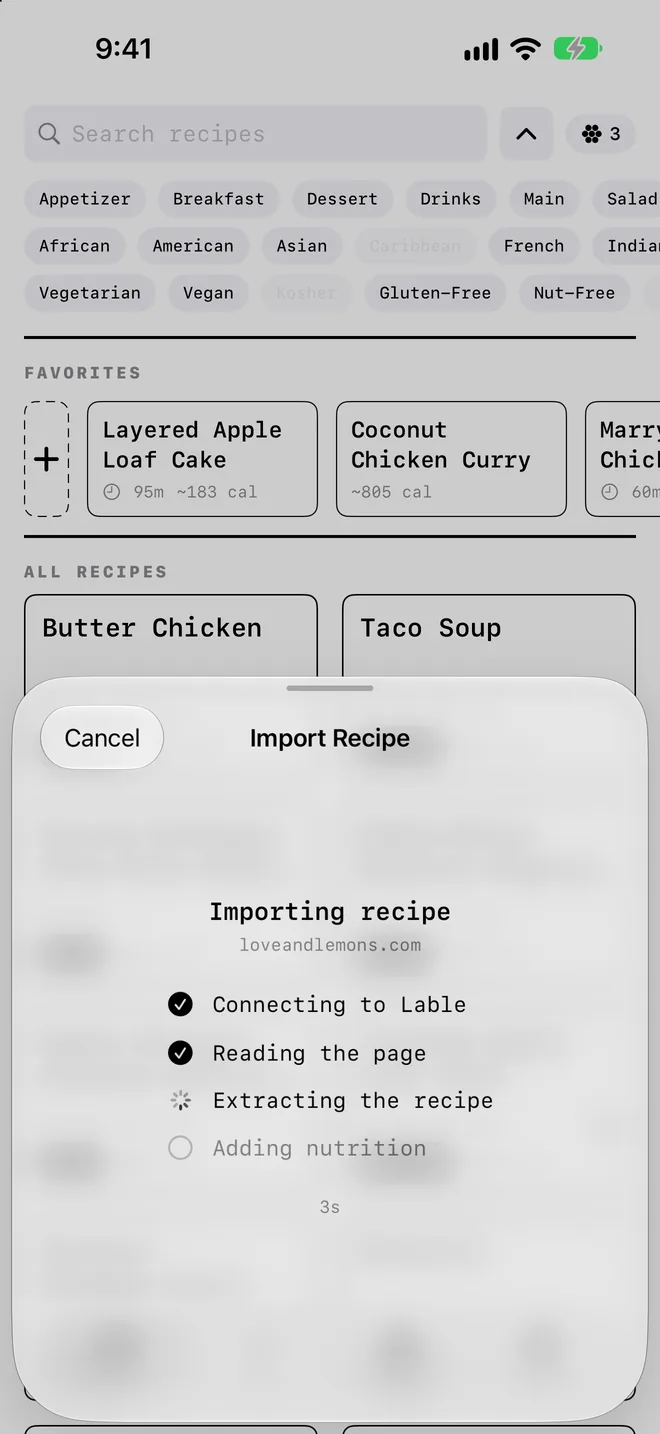
Share a recipe page from Safari, or paste a link. Lable interprets the page you chose into your own recipe card, and you can watch every step as it happens.
02 · Read
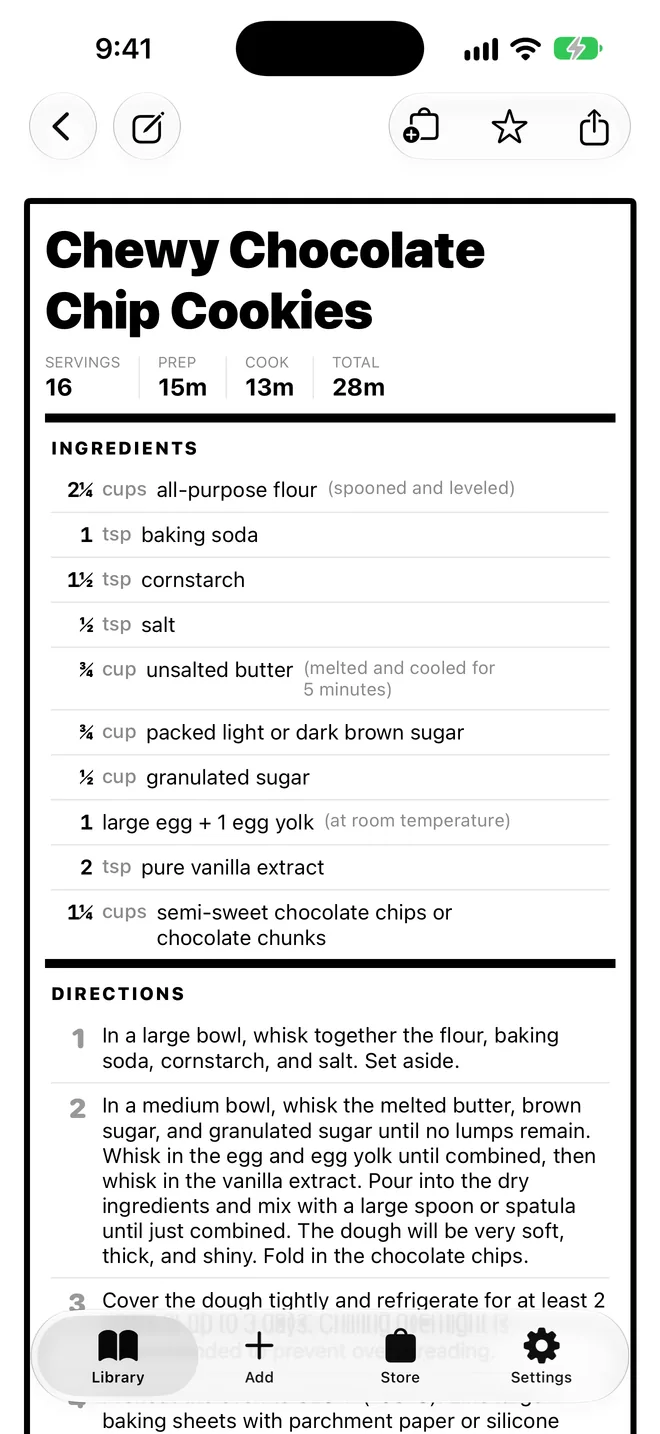
Servings, prep and cook times up top. Every ingredient lined up with its amount, notes set quietly in grey. Groups like “For the sauce” stay where they belong.
03 · Cook
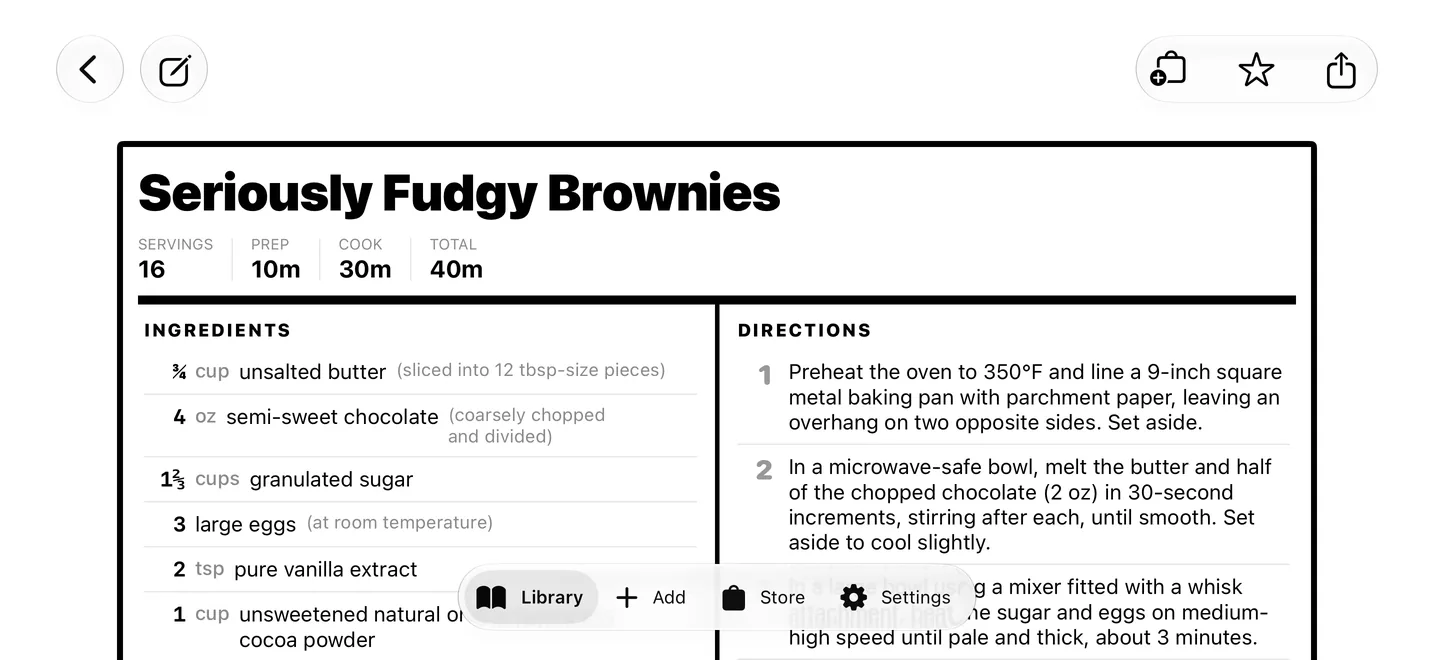
Rotate your phone on the counter and the ingredients sit right beside the steps. Everything for the next move, at a glance.
04 · Know
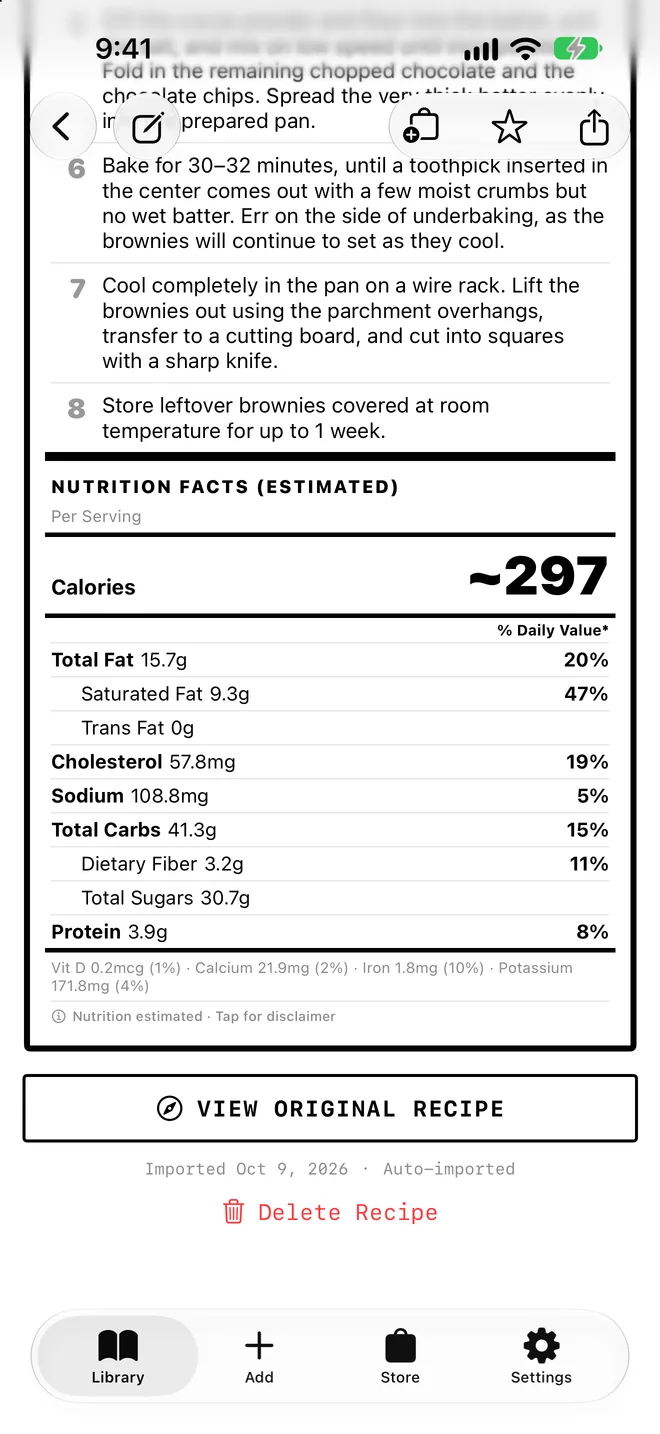
Calories, fat, carbs, protein, fiber and sodium per serving, with % daily values. Swapped the butter for olive oil? Edit the ingredient and the label recalculates.
Estimated from the ingredients. Not medical advice.
05 · Shop
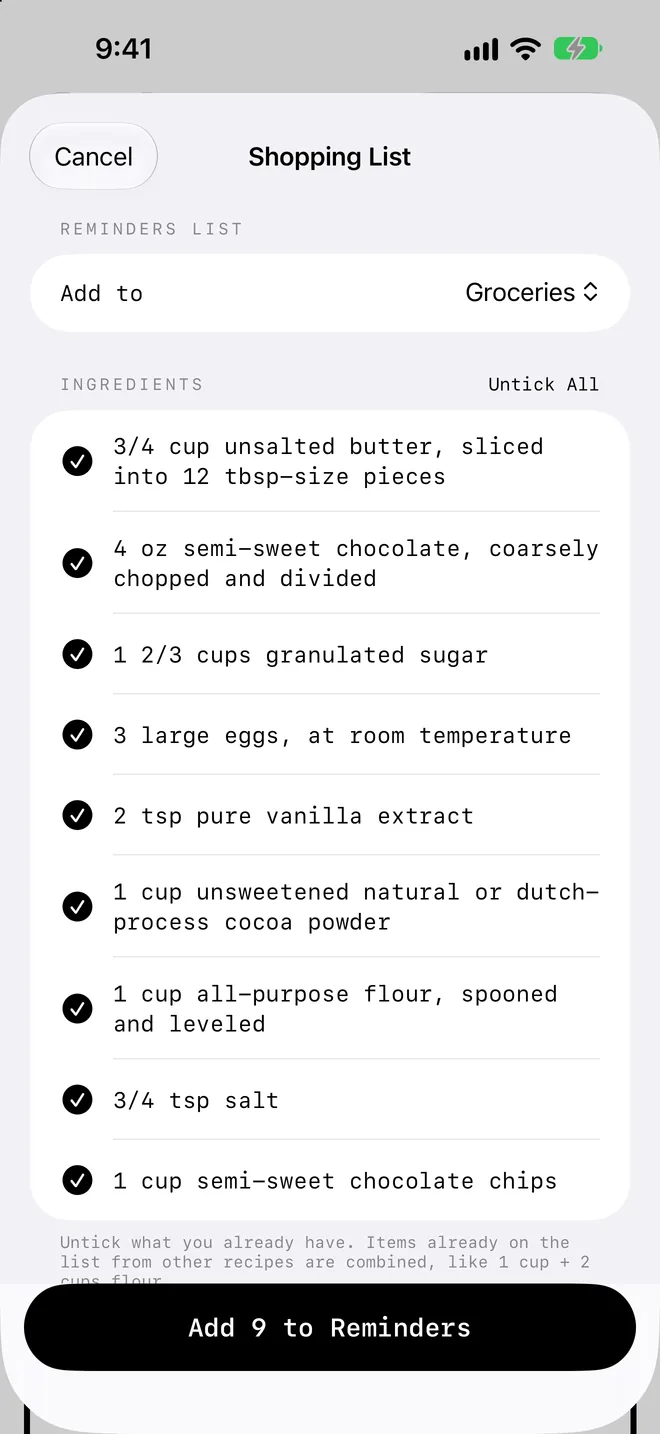
Untick what you already have and send the rest to any list in Apple Reminders, in one tap. Your shopping list is ready before you reach the door.
06 · Combine
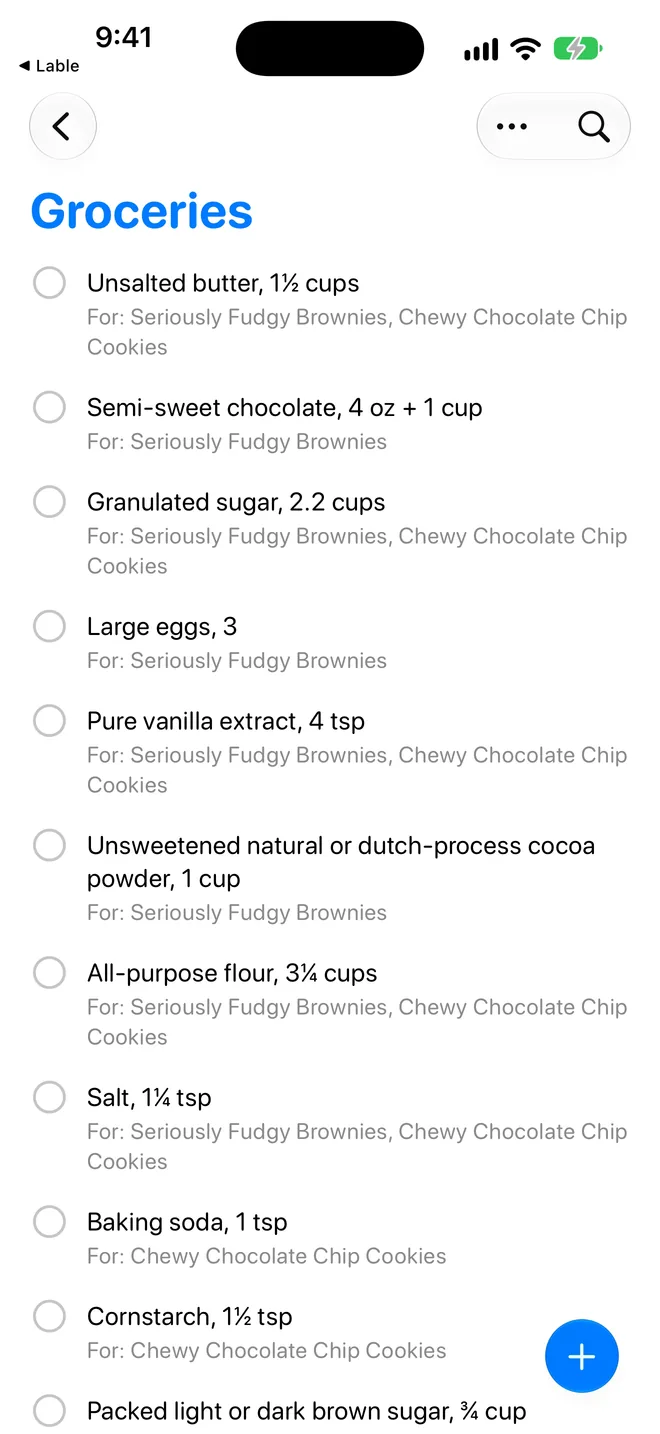
Amounts add up across recipes: 1 cup of flour plus 2 cups becomes “Flour, 3 cups.” Each item remembers which recipes it’s for.
07 · Organize
Star favorites to keep them on top. Filter by course, cuisine or diet, or search by ingredient. Finally, a plan for that lonely zucchini.
08 · Imports
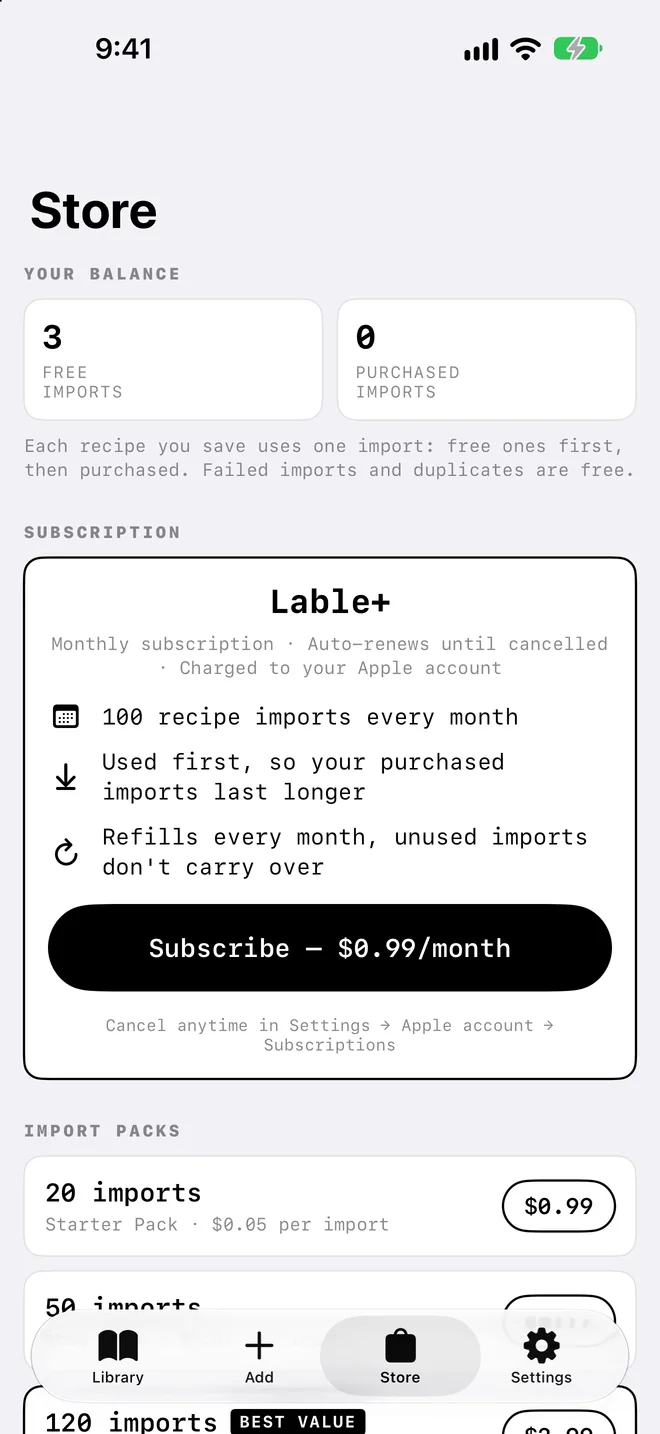
New users get free imports. Need more? Packs that never expire, or Lable+ with 100 imports every month. Failed imports and duplicates are always free.
Private by design
No ads and no tracking. Start without an account, then sign in with Apple, Google or email to sync across devices.
A closer look
And the little things
A one-page PDF with the ingredients, steps and nutrition label side by side. Grease stains welcome.
Save any recipe as an image and send it to the friend who keeps asking for it.
Change any ingredient or step, and restore the original whenever you like.
Vegetarian, vegan, gluten-free and nut-free, checked against the ingredients.
Deleted something by accident? It stays recoverable for 30 days.
Every recipe keeps a link to the original page, one tap away.
Pricing
Each recipe you save uses one import. Failed imports and recipes you’ve already saved are free.
$0
New users get free imports to start. Everything else in the app is included.
One-time purchases. They never expire.
$0.99/month
100 imports every month, used before your purchased imports so those last longer. Cancel anytime.
Prices in US dollars. Purchases and subscriptions are handled by Apple.
Support
Questions, a recipe that won't import, or a problem with a purchase? Email alexsehlke@gmail.com. It helps to include your Support ID (in the app: Settings → Account) and, for import problems, the recipe's web address.
How do I save a recipe? Share a recipe page from Safari and pick Lable, or tap + in the app and paste the link.
What's an import? Each recipe you save uses one import. Failed imports and recipes you've already saved are free. New users get free imports; more are available as packs or with Lable+ (100 a month).
How do I cancel Lable+? In the Settings app, tap your name → Subscriptions → Lable+.
How do I get a refund? Purchases are handled by Apple: reportaproblem.apple.com.
How do I delete my account? In the app: Settings → Account → Delete Account.
Are the nutrition facts exact? They're estimates from the ingredients. Always check product labels if you have an allergy.